


Chordify: Song Chords & Tuner
4.22.68K Reviews
App Specs
- Version
- 2019
- Updated On
- License
- Free
- Downloads
- 5,000,000+
- Developer
- Chordify B.V.
- Categories
- Music & Audio
- Platform
- Android, iOS
Screenshots
 Analysis by AppCompare
I like music apps best when they help me get from “I want to play that” to actually trying it on an instrument. Chordify: Song Chords & Tuner is built around that practical step: it gives you a way to work out songs through chords rather than starting with formal notation. That makes it appealing for casual players who want to accompany familiar tracks, though I wouldn’t treat a chord display as a complete substitute for learning how a song is played.
What makes chord-first learning useful
For guitar, ukulele, and piano players, chords offer a direct route into playing songs. Instead of pausing to search several sites for a rough progression, I can use a single app as a starting point, then listen and check whether the changes feel right. Chordify is a music and audio app from Chordify B.V., and its focus is clear: helping players connect songs they know with the chords they can practice.
That approach is especially handy when I have a short practice window. I might have ten minutes before dinner, pick a song I already enjoy, and work on moving between its chords without needing to plan a full lesson. The app’s appeal isn’t that it turns every session into a structured course; it’s that it lowers the effort required to begin.
How I’d use it in a real practice session
Imagine I’m learning a song for a casual get-together. I’d search for it, check the displayed progression, and play through slowly before trying to keep pace with the recording. If one transition keeps tripping me up, I’d focus on that small part rather than repeatedly restarting the whole song. That simple habit makes chord-based practice more productive: the app can point me toward the material, but deliberate repetition is still what builds clean changes.
For a beginner, I’d recommend treating the first result as a draft to test with your ears and instrument. A chord sequence can give you a useful map, but it doesn’t automatically explain strumming, fingerpicking, rhythm, or every melodic detail. If a chord seems wrong, listen to the recording again and try the shape in context instead of assuming the screen has solved the whole arrangement. The best results come when I use the app as a listening companion, not a replacement for listening.
Discovering Chordify
So, I stumbled upon Chordify while searching for a tool to help me learn guitar faster. What immediately caught my eye was its clean and user-friendly interface. The app promises to simplify music by providing chords for any song, and boy, does it deliver!
Features that Hit the Right Note
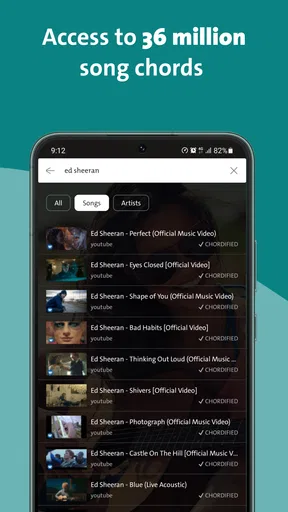
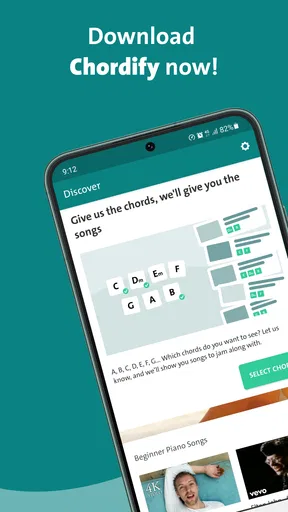
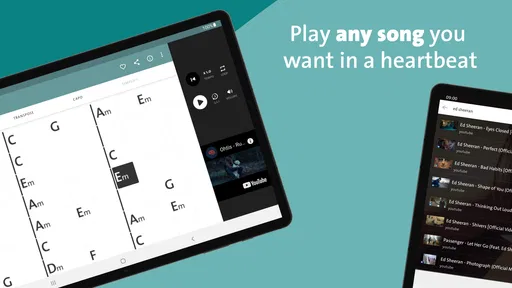
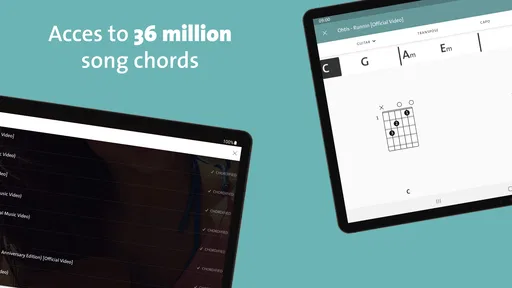
Let’s dive into some of the standout features. First up, the extensive library. You can search for virtually any song and find the chords laid out for you. It’s like having a personal music teacher available 24/7. Whether you’re into pop, rock, jazz, or classical, there’s something here for everyone.
Worth Reading Before You Choose

EA SPORTS FC Mobile 26 Is a Bigger Football Game, but It Takes Time

Flipboard Shows What News Apps Must Do Beyond the Feed

Switching to Android Auto Means Rethinking Your Driving Routine

Google Calendar Makes a Crowded Week Easier to Manage

Ludo King Makes the Most of the Minutes Between Plans

Baby Panda World Brings Quick Play to Modern Phones, but Its Game Library Feels Busy
Another cool feature is the real-time chord recognition. Just upload an audio file, and the app processes it to give you the chords. It’s quick, it’s efficient, and it’s perfect for when you want to play along with your favorite tracks.
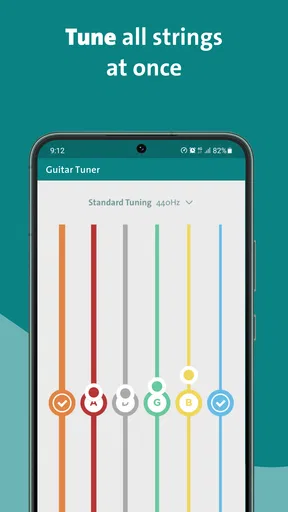
And let’s not forget the tuner. This nifty tool ensures you’re always in tune, whether you’re playing guitar, ukulele, or piano. It’s precise and super easy to use, which is a huge plus for beginners like me.
Getting Started with Chordify
Getting started is a breeze. Just download the app on your Android or iOS device, and you’re good to go. I found the navigation intuitive, so you won’t need a manual to figure things out. The search bar is your gateway to thousands of songs, and it’s pretty accurate at finding even the most obscure tracks.
Customization and Personalization
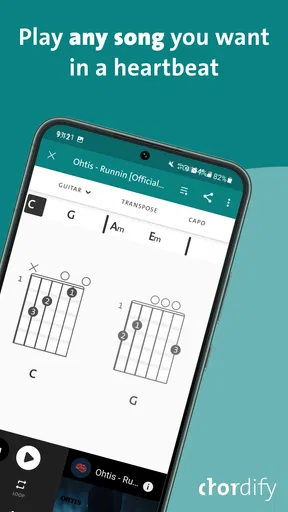
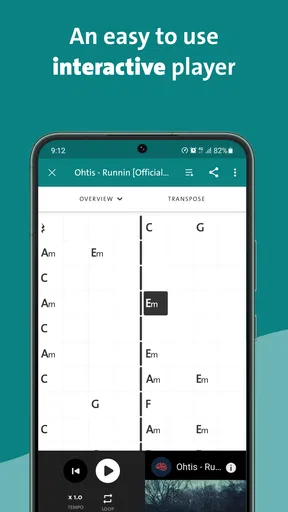
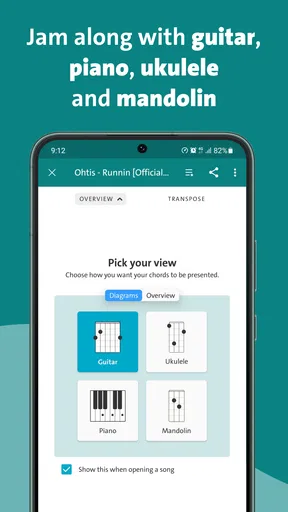
One of the features I absolutely love is the ability to customize the chord diagrams. You can adjust the tempo, change the pitch, and even loop specific sections to practice. It’s like having a digital practice partner that goes at your pace.
The app also allows you to save your favorite songs and create setlists. This is a game-changer for those impromptu gigs or practice sessions. You can access your music anywhere, anytime.
Community and Support
Now, let’s talk about the community aspect. Chordify has a vibrant community of musicians and learners. You can share your music, get feedback, and even collaborate with other users. Plus, the app offers great support with a detailed FAQ section and responsive customer service.
There’s also a premium version, which unlocks additional features like offline access and the ability to print chord sheets. It’s a small price to pay for the added convenience, especially if you’re serious about your music journey.
Choosing it over other music tools
I see Chordify as a bridge between a songbook and a tuner, rather than a full teaching course. A static chord chart can be quicker when I already know the song and only need a progression; here, the advantage is having a song-oriented way to explore and practice. On the other hand, if I want detailed lessons on technique, rhythm reading, or instrument fundamentals, I’d choose a dedicated course or teacher. Those tools teach a broader skill set, while Chordify is most useful when I have a particular track in mind.
It also helps to separate chord discovery from tuning. A tuner is useful before practice, but it won’t tell me whether my timing or chord transitions are steady. I’d tune first, choose a manageable section, and then play along at a pace I can control. When a song feels too fast, slowing the practice down is more useful than trying to force a full performance from the start.
Small choices that make practice better
One useful habit is to make a short setlist around a specific goal rather than saving every song I might someday learn. For example, I could group tracks that use chords I’m already practicing, then spend a session moving between them. That gives saved songs a purpose and makes it easier to return to material without searching from scratch.
When working with a song, I’d also listen once before playing. I can note where the chord changes seem to happen, then compare that impression with the app’s display. This catches a common frustration: seeing a chord name is not the same as knowing exactly when to change. Following the recording and the chord view together helps me develop that sense instead of staring at the screen throughout the whole song.
Changing pitch can be helpful if the original key doesn’t suit my voice or instrument, but I’d use it deliberately. If I’m practicing with other musicians, changing the key may mean we’re no longer playing the same arrangement. For solo practice, it can make a song more comfortable; for a group, I’d agree on the key first. That small distinction keeps a useful adjustment from creating confusion later.
Where the app can frustrate
Chord recognition is a starting point, not a guarantee that every result will match the exact version I’m hearing. Recordings can have layered instruments, unusual voicings, or changes that are difficult to reduce to a simple chord label. When something sounds off, I’d check the passage by ear and try nearby chord shapes rather than assuming the app has captured every detail. Players who need precise transcriptions, tablature, or note-for-note arrangements may find a chord-focused tool too limited.
There is also a practical difference between finding a song and being ready to play it. A beginner may still need help forming unfamiliar shapes, keeping a consistent rhythm, or understanding a chord symbol. Chordify can make the song easier to approach, but it won’t remove the need for patient practice. I’d skip it as a primary learning resource if my goal were a step-by-step curriculum with exercises that build from basic technique.
Premium access is another consideration. The app is free to start, while in-app purchases range from about seven dollars to fifty-four dollars per item. I’d first see whether the core workflow suits my habits before paying for extras. Offline access and printable chord sheets can matter if I practice away from a reliable connection or prefer paper, but they’re not essential for someone who mostly plays at home with a phone nearby.
Who should give it a try
I’d recommend it to self-directed guitar, ukulele, and piano players who learn best by playing songs they already like. It is a particularly natural fit for someone who knows a few basic chords and wants a practical way to find material for the next practice session. A casual player preparing a handful of songs for friends may also value the combination of song search, chord display, and tuning in one place.
It may be less satisfying for musicians who expect a complete lesson path, detailed notation, or an authoritative transcription of every musical part. It also isn’t the right choice if I want to practice without looking at a screen or if I prefer learning exclusively through a teacher. In those cases, a printed songbook, structured course, or instructor may be a better match. Chordify’s strength is convenience around songs, not replacing every other way of learning music.
Final Thoughts
In a nutshell, Chordify: Song Chords & Tuner is a must-have for any music enthusiast. It’s fun, it’s functional, and it makes learning music so much easier. Whether you’re a beginner or a pro, this app has something to offer. So, go ahead, give it a try, and let your musical creativity flow!
I’d put that recommendation more narrowly: it’s a useful companion for people who want to turn songs into approachable chord practice, rather than a complete music education system. It has an average rating of 4.1 from around 41,000 ratings, and more than five million installs, which suggests it has found a substantial audience among players looking for this kind of help. Its Everyone age rating makes it suitable for a broad audience, though younger learners may still benefit from an adult helping them interpret chord symbols and build a sensible practice routine.
The app was released in 2018, and its current version is 1999, with Android 8.0 as the minimum operating-system requirement. I’d check compatibility before installing on an older device. If you’re deciding whether to keep it, the simplest test is to try a song you genuinely want to learn: see whether the chord view helps you make progress, and whether the tuner and practice controls fit naturally into your routine. If they do, it earns a place in my music toolkit; if you need exact arrangements or guided lessons, I’d pair it with a more specialized resource instead.
Pros
- User-friendly interface for beginners
- Fast and accurate chord detection
- Extensive song library available
- Offline mode for convenience
- Integrates smoothly with other apps
Cons
- Limited free version features
- Ads can be intrusive at times
- Occasional chord detection errors
- Premium subscription is pricey
- Requires internet for updates
FAQs for Chordify: Song Chords & Tuner
What exactly does Chordify offer to its users?
Chordify provides an easy-to-use platform that transforms songs into chords, allowing users to play along with their favorite music. It supports a wide range of instruments and offers features like auto-scrolling, chord transposition, and integration with popular music streaming services. It's designed for musicians of all levels, from beginners to advanced players.
Is Chordify suitable for beginners who are just learning to play an instrument?
Yes, Chordify is highly suitable for beginners. The app simplifies complex chords and provides visual chord diagrams to guide new learners. It also includes a slow-down feature, which helps users practice at their own pace. The intuitive interface makes it easy to pick up, even for those new to music.
Does Chordify require an internet connection to function?
While Chordify does require an internet connection to initially access and load songs, it offers an offline mode for Premium users. This means that once a song is saved, you can access it without internet connectivity, making it convenient for practice sessions anywhere and anytime.
What is the cost of using Chordify, and are there any in-app purchases?
Chordify offers a free version with basic features, but for a more enhanced experience, there is a Premium subscription. The Premium version includes benefits such as offline access, the ability to loop sections of a song, and advanced chord transposition. Prices may vary based on the subscription plan and region.
How accurate are the chords provided by Chordify compared to the original songs?
Chordify uses advanced algorithms to generate chords, aiming for high accuracy. However, the accuracy can vary depending on the complexity of the song. Users often find the chords reliable for most popular songs, but minor adjustments might be needed for less mainstream or highly intricate tracks.


